Find Any Pair in Seconds.

Find Any Pair in Seconds.
Whenever the seasons changed, I used to rack my brain trying to remember where I had put my son’s fall shoes or my daughter’s boots.
In InvenDo, I created storage locations within other storage locations. This is how mine are organized:
- Home
- Wardrobe
- Shelf 1
- Shelf 2
- Shelf 3
- Box 1
- Box 2
- Box 3
- Box 4
- Wardrobe
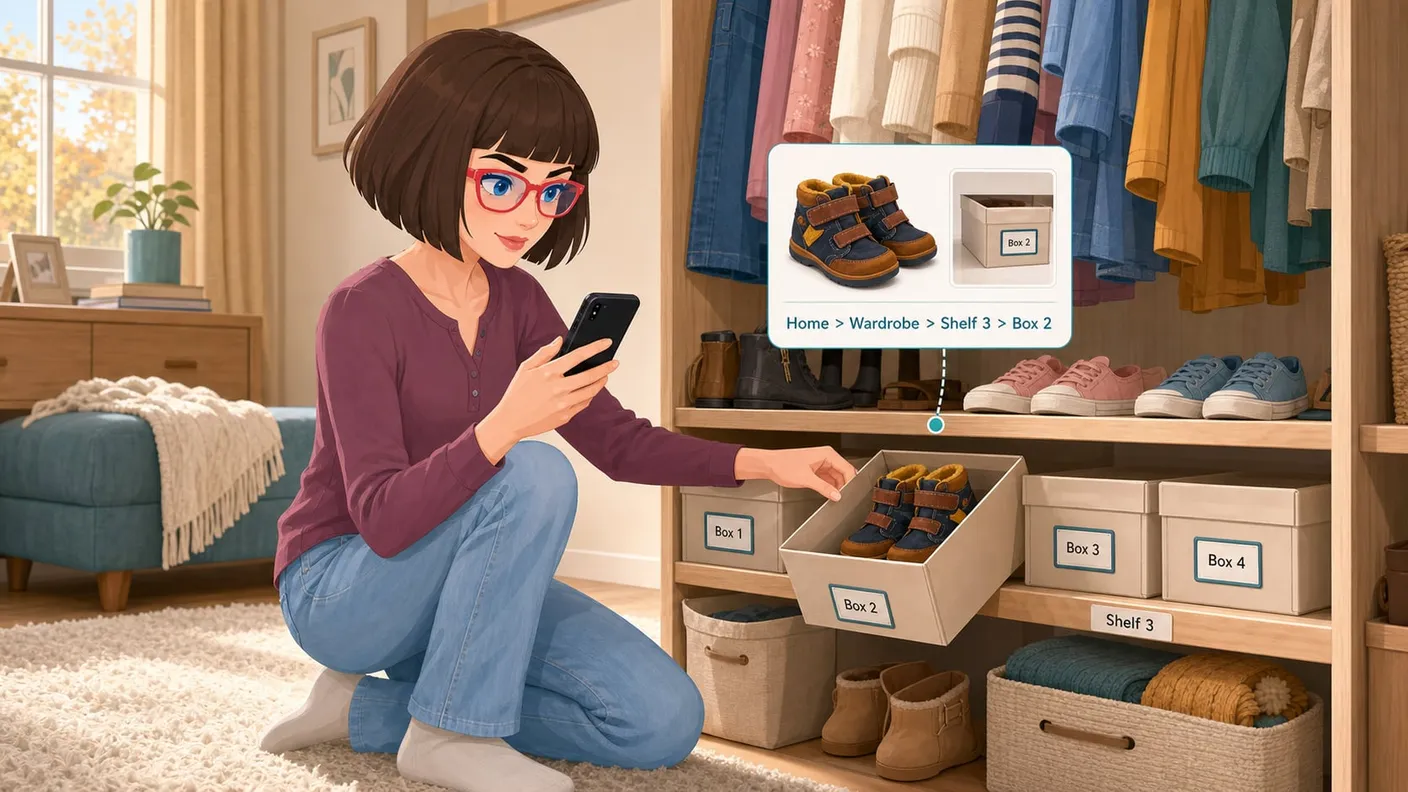
I keep the shoe boxes on the third shelf. Each box has its own storage location card with a photo, while each pair of shoes has a separate item card and its own photo.
To find my son’s fall shoes, I search for them in the app. If a photo has been added to the item card, the search results show me a picture of the shoes together with their exact storage location.
When I open the shoes’ item card, I can see the full path: Home / Wardrobe / Shelf 3 / Box 2.
A photo of the box can be saved in the storage location card for “Box 2.” It can also be added as an additional photo to the shoes’ item card. Today, I realized that having this extra picture makes it even easier to recognize the right box.
In InvenDo, you can create nested storage locations, record the exact path to the right box for each pair of shoes, and add photos of both the shoes and the place where they are stored.
How many more useful features does InvenDo have for me to discover? Perhaps you already knew all this, but I hope my notes will help someone organize their home a little more quickly. As for me, I can now find my children’s seasonal shoes without searching through box after box.